 Wayple
Expense evidence · Business travel & commuting emissions (Scope 3)
Car, train, taxi, flight — one business trip, one record
Wayple records business trips that mix car, KTX, bus, taxi and flights — from planning through the actual journey to expense evidence. The same record calculates the emissions of business travel and commuting.
- Location-based service registration No. 1577 (Korea)
- Calculated under GHG Protocol Scope 3 Categories 6 and 7
- Official emission factors first · estimates shown separately
Mileage logs record the car. Wayple records the trip.
One business trip mixes several modes of transport. Look only at the car and you miss the train, taxi and flight legs; look only at spending and you miss the actual movement.
Mileage log apps
Record the distance a car drives. They don't cover train, bus, taxi or flight legs.
Carbon accounting platforms
Collect a company's total emissions. Business travel and commuting are often estimated from spending or surveys.
Wayple
Records one person's business trip from start to finish. Even when the transport changes, each leg is recorded, and expense evidence and travel and commuting emissions come from the same record.
How a business trip flows
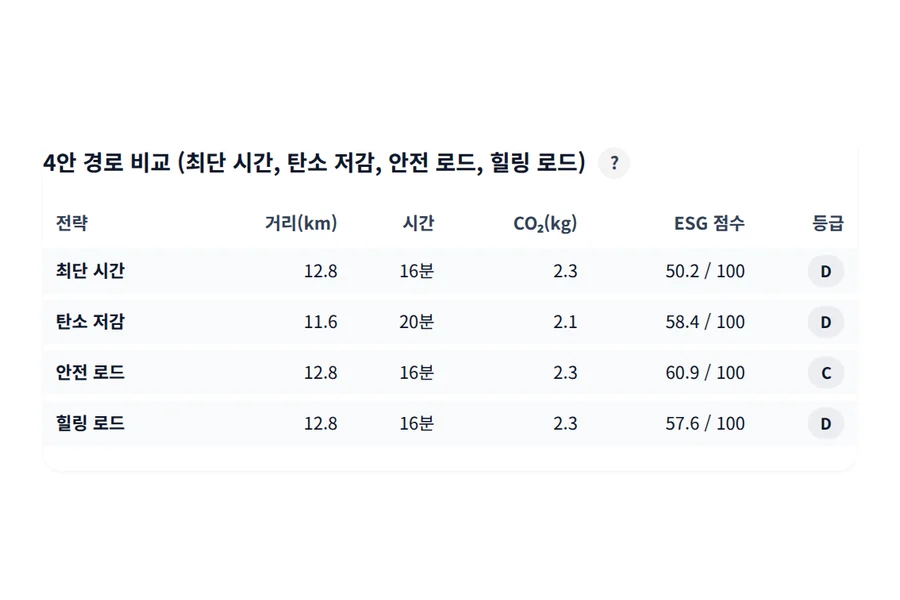
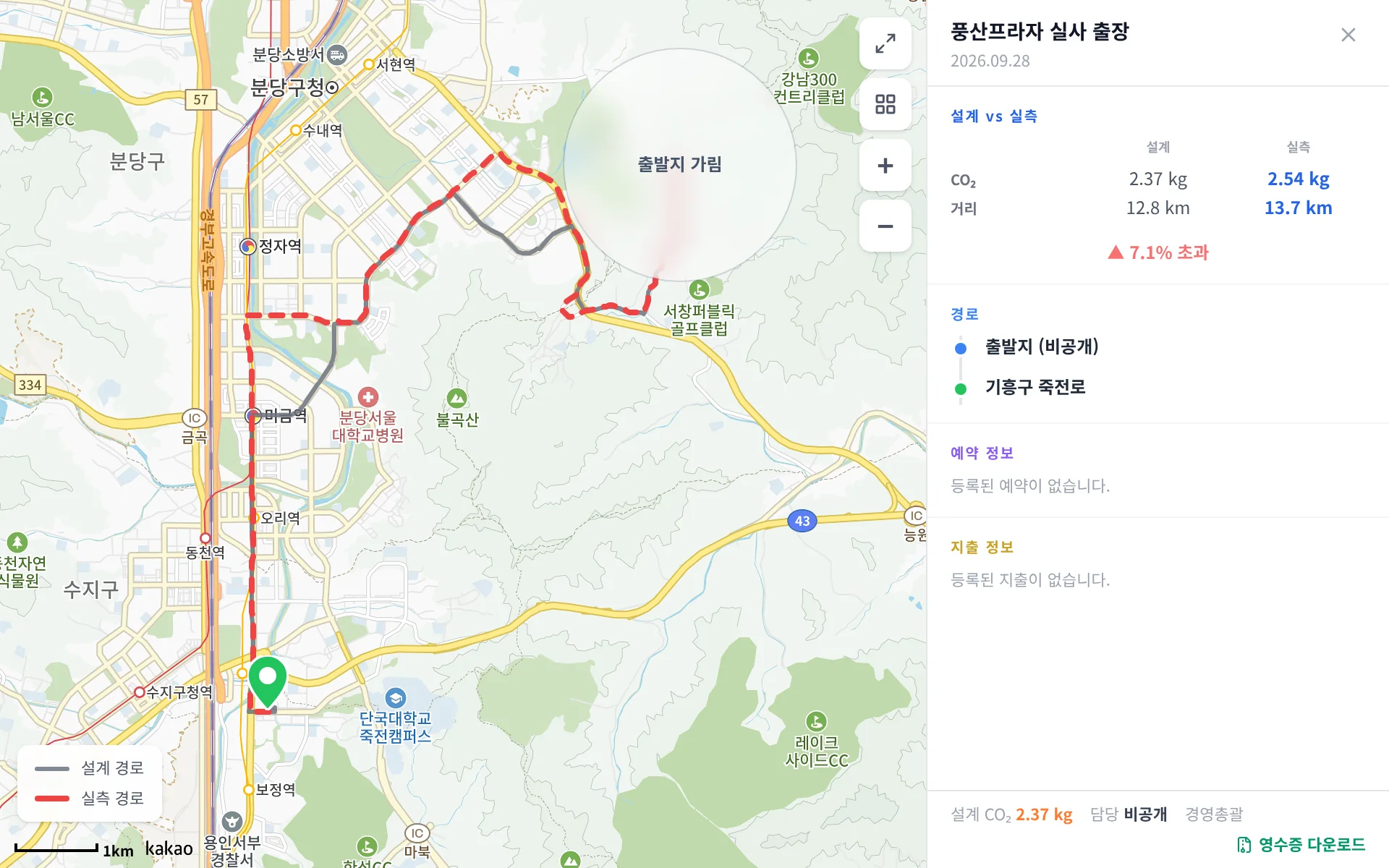
01 Plan
Describe the destination and dates, or choose them step by step, and get a proposed route, transport and budget. Get company approval if needed.
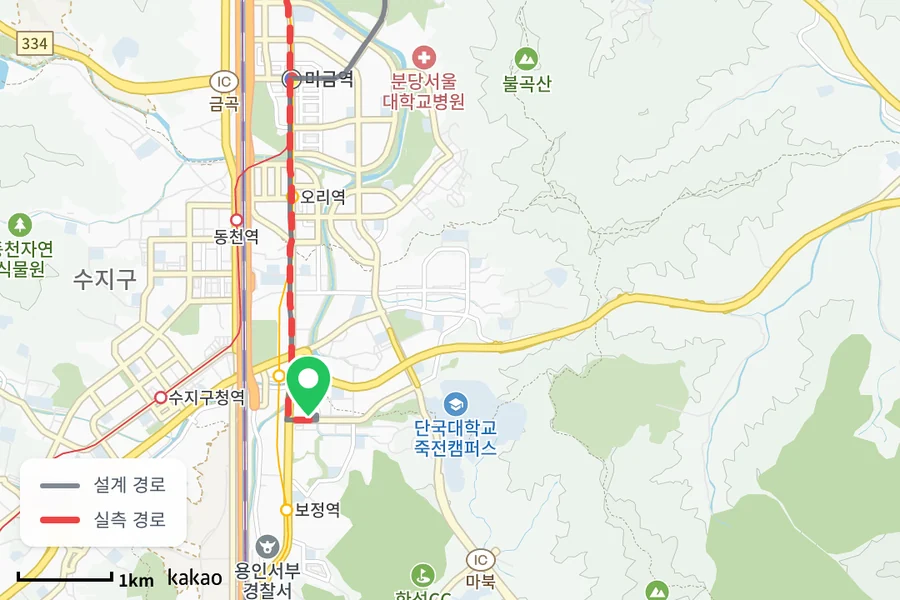
02 Record
Once you set off, GPS records the journey and identifies the transport for each leg. Legs GPS can't measure, such as flights, are filled with the ticket distance and marked as such.
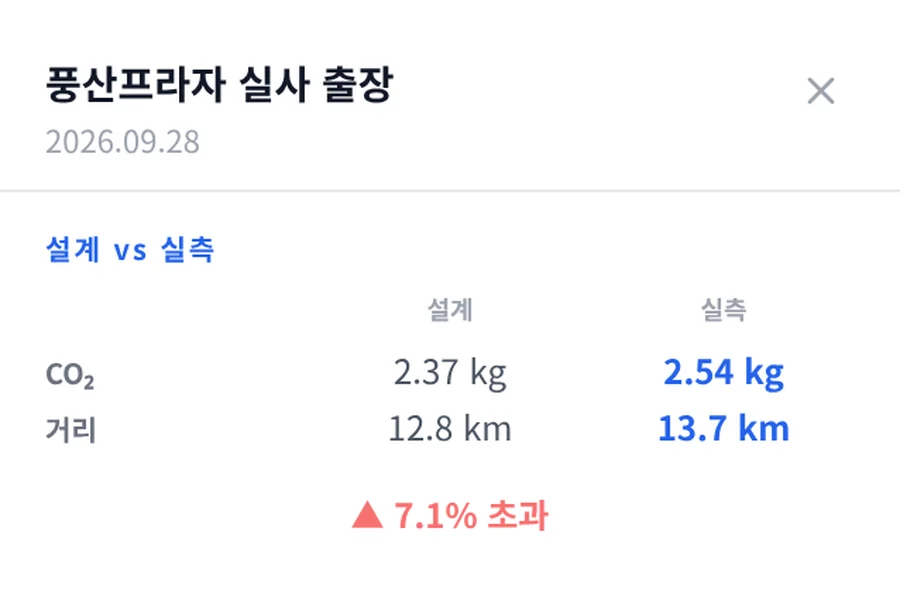
03 Review
Only trips that differ substantially from the plan are reviewed by a manager.
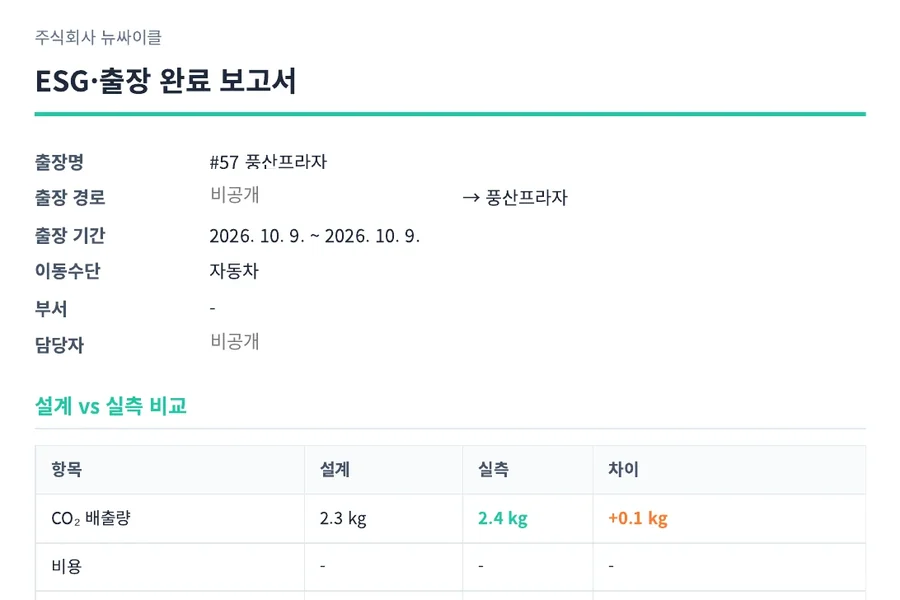
04 Settle & report
Expense evidence is produced under your travel policy, along with a trip report and Scope 3 activity data.
Commuting · Scope 3 Category 7
Register commuting once, calculated every month
Once an employee registers their home and commuting mode, Wayple calculates commuting distance and emissions every month from working days.
Working days only
Public holidays, business-trip days, leave and remote-work days are excluded.
Confirmed by employees monthly
Employees confirm at month end. Months not confirmed are included in company totals, marked as unconfirmed.
Unregistered employees included
If the company enters its total headcount, the share of unregistered employees is extrapolated.
Home location kept coarse
Home coordinates are stored only to about 100 m. Employees can measure their commute once to check the registered distance.
Commuting values are calculated from the registered commuting distance and working days. They are not daily measurements.
What one record produces
Expense evidence
An Excel file that applies your travel policy (per-km rates by fuel, daily allowances, public transport rates) to trip records, with an approval box.
Trip report
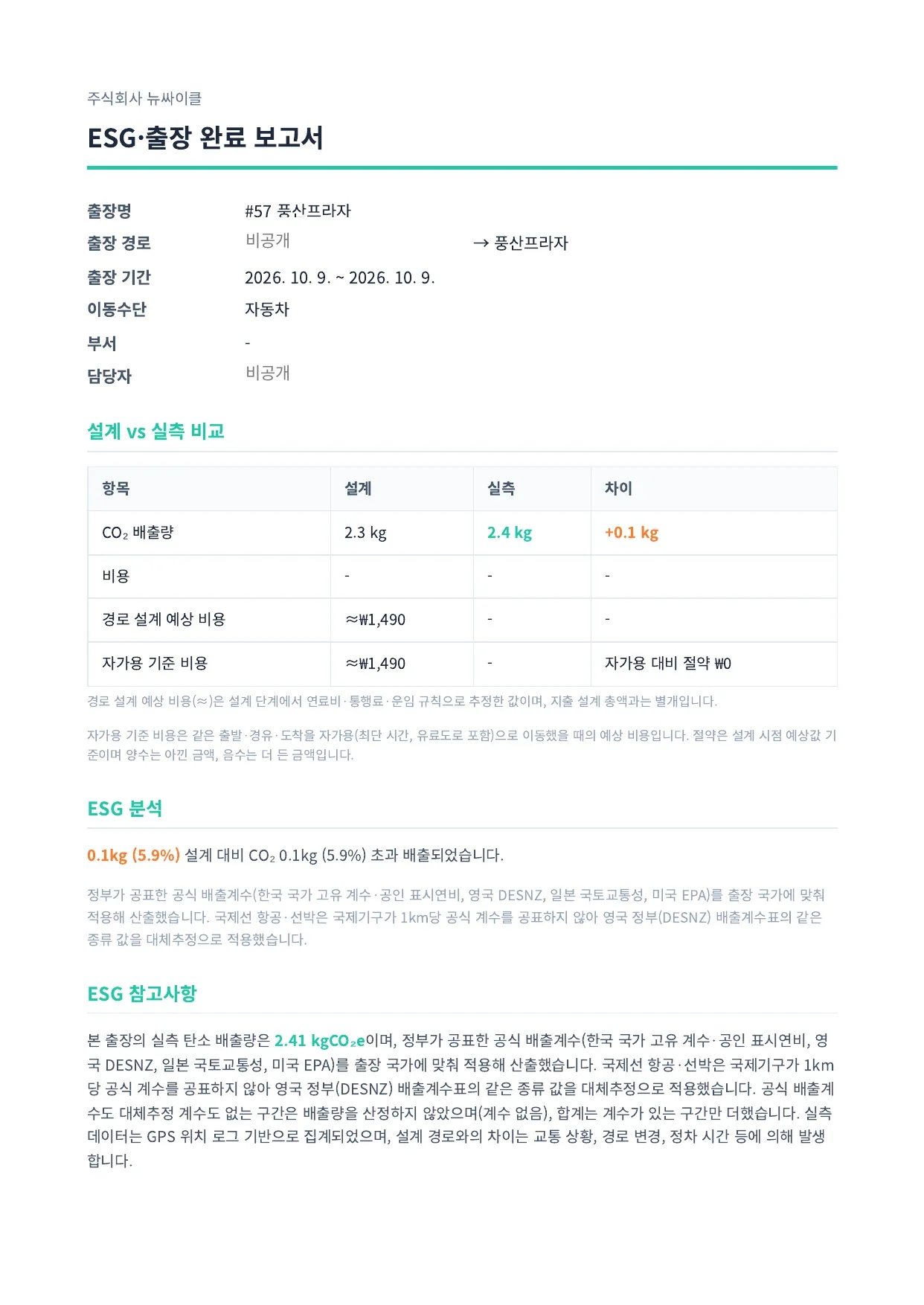
A PDF of one trip's plan, record and emissions. An audit trail that traces the calculation is available on Enterprise.
Scope 3 activity data
Distance, transport and emissions for business travel (Category 6) and commuting (Category 7), collected by period.
Download directly, no email required · created with test data
Methodology
Official factors first, estimates shown separately
We first use official emission factors published by governments and public agencies. Where none exists, we use a substitute estimate with its source and reason stated, and show its share separately. If neither exists, we don't calculate.
Factor sources
Cars in Korea use KEA-certified fuel economy with national emission factors, Korean rail uses Korail's published values (with year), and travel outside Korea uses UK DESNZ, US EPA and Japan MLIT factors.
Records and plans kept apart
GPS-recorded values and planned values are reported separately, never combined. For emissions, legs without a record are not filled with planned values; for expense settlement, a short record is calculated with the planned distance and labeled as such.
Ready for verification
The calculation method has not yet been third-party verified. Instead, every trip keeps its emission factor version, inputs and calculation time so a verification body can recalculate it.
How we protect employee location
The company sees business trips only
Only trips designed as business trips or submitted to the company are visible to it. Personal plans and records from before joining stay hidden, and measured values appear only after the employee submits the results.
Recording only during trips and commute checks
Recording starts when a trip begins and stops when it ends, and also runs when an employee chooses to measure their commute. It is not continuous tracking.
Consent first
Location is collected only after consent to the use of location information.
Notified whenever the company looks
Company managers can see routes only for trips whose results were submitted, and every view is logged and notified to the employee.
Photo locations removed
Location data embedded in receipts and photos is removed as soon as they are uploaded.
AWS Seoul region · Encrypted database and file storage · Role-based access control · Operator access to personal data logged and kept for 2 years
Pricing
You can start with a small pilot. Pricing, including the pilot, is agreed in consultation based on your usage and deployment scope.
Pro
Teams and SMEs
Trip planning, recording and review · Expense evidence (Excel) · Trip reports · Commuting emissions · Scope 3 activity data
Enterprise
Large enterprises and public institutions
Everything in Pro · Audit-trail reports · Period reports organized for transfer into GRI and K-ESG reports
Individuals can use the Wayple app for free. Get the Wayple app: Google Play · App Store
See it first with one of your own business trips
We'll walk you through the real screens, from trip design to the travel record, settlement evidence and trip report.